


Download PureVPN – Fast, Secure, Cross-Platform VPN for Streaming, Privacy, and Geo-Restriction Bypass
Overview
PureVPN is a multiplatform Virtual Private Network (VPN) solution designed for users who prioritize online security, privacy, and unrestricted access to digital content. It enables individuals to protect their internet activity from surveillance, bypass geographic content restrictions, and securely transfer data across networks. The software is particularly suited for consumers and professionals who use public Wi-Fi, stream region-locked media, or require anonymous browsing.
It supports a wide range of platforms, including Windows, Mac, iOS, Android, Linux, and browser extensions for Chrome and Firefox. The developer did not provide additional details about the company’s background beyond its presence in the market since 2007. Real-world usage scenarios include accessing Netflix, Hulu, or BBC iPlayer from outside their regional zones, securing data on airport or café Wi-Fi, and maintaining privacy during file sharing via P2P networks.
The service is also used by travelers and remote workers seeking consistent, private connectivity across borders. PureVPN offers a free trial limited to three days, after which users must subscribe to continue access. The software aims to deliver a seamless experience for both casual users and those with advanced privacy needs.
Key Features & Capabilities
- Advanced Security Protocols: Supports top-tier encryption standards, including 256-bit encryption and protocols like WireGuard and OpenVPN, ensuring robust protection for online activities.
- Smart Server Selection: Automatically identifies and connects to the fastest available server, optimizing speed and reliability based on user location and network conditions.
- One-Click Protection: Enables instant activation of the VPN connection, simplifying privacy setup for users with minimal technical knowledge.
- App-Specific Protection: Allows users to select individual applications for encryption, enabling customized privacy settings for specific tasks like banking or streaming.
- Leak-Proof Privacy: Designed to prevent IP, DNS, or WebRTC leaks, ensuring all online activity remains hidden from ISPs and third parties.
- Geo-Restriction Bypass: Facilitates access to region-locked content on platforms such as Netflix, Amazon Prime Video, Disney+, BBC iPlayer, and more.
- Multi-Device Support: One account can be used across up to 10 devices, supporting family sharing and cross-platform usage.
- IP Concealment: Masks the user’s real IP address, enhancing anonymity and protecting identity from online tracking.
- Secure Public Connections: Provides encrypted connections on public networks, reducing the risk of data interception.
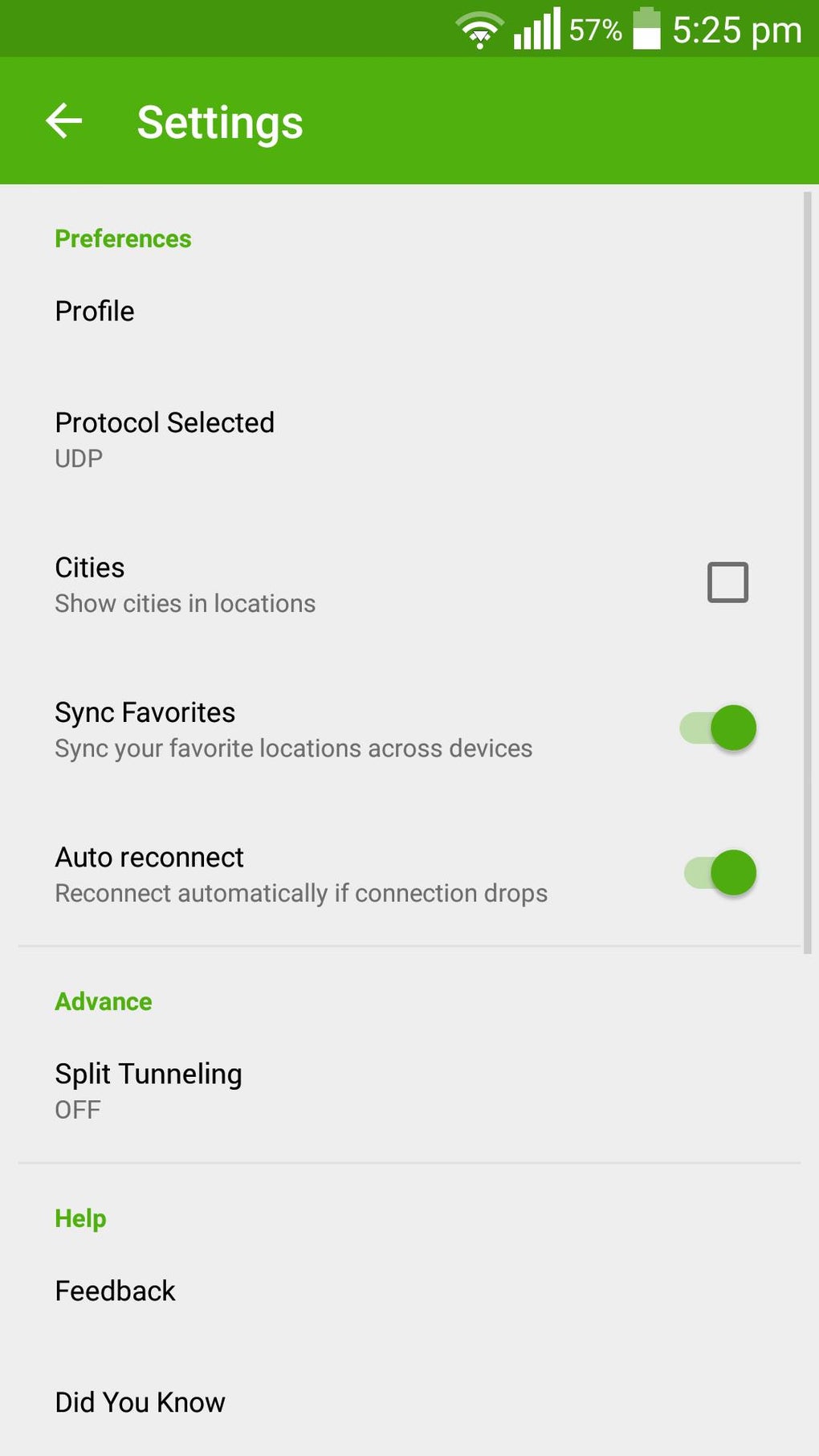
- Split Tunneling: Lets users choose which apps or services use the encrypted connection, improving performance for non-sensitive tasks.
- Obfuscation Support: Helps bypass VPN blocks in restrictive environments by disguising VPN traffic, currently available with OpenVPN.
- WireGuard Integration: Offers faster connection speeds and improved efficiency compared to traditional protocols.
These features collectively support use cases such as secure remote work, uninterrupted streaming, anonymous web browsing, and safe file transfers. The ability to customize protection per app or service enhances both usability and performance, especially in environments with strict network policies.
User Interface, Workflow & Performance
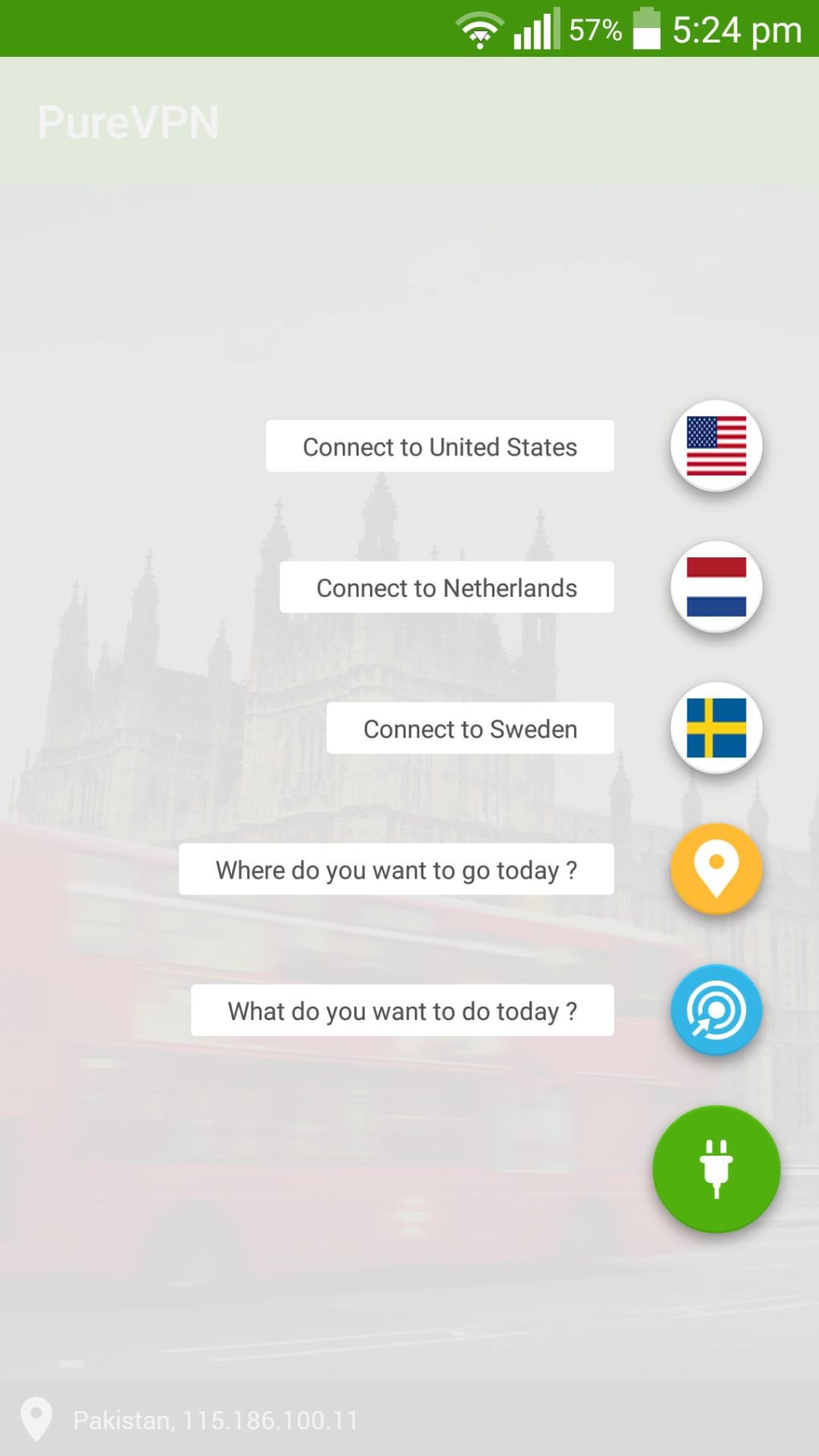
The user interface is designed for clarity and ease of navigation, with a straightforward connection dialog that displays key information such as the current server location, IP address, and bandwidth usage. Connection setup is intuitive, with visual indicators for server status and performance. The app automatically selects the optimal server based on proximity and speed, though users can manually choose a server or city from a dropdown list.
Workflow efficiency is enhanced by features like one-click activation, app-specific protection, and mobile app shortcuts for favorite streaming services. The interface is consistent across platforms, though differences exist between versions—such as the absence of certain add-ons on the Mac version. Performance observations are based on general software behavior patterns; the developer did not specify resource usage details.
However, users report minimal lag and fast connection speeds, particularly with WireGuard support. Stability appears strong, with automatic reconnection features in case of disconnections. CPU and RAM usage are not publicly documented, but typical behavior for such applications suggests moderate impact.
No known crashes or major bugs have been reported in the available data.
Compatibility & System Requirements
PureVPN is compatible with Windows, Mac, iOS, Android, Linux, and offers browser extensions for Chrome and Firefox. The software supports up to 10 devices per account. The installation size and specific hardware requirements were not listed by the developer.
Exact system requirements were not specified. Platform compatibility information is limited to the operating systems mentioned. The developer did not provide details about minimum processor speed, RAM, or disk space.
Users are advised to ensure their device meets standard requirements for running modern desktop and mobile applications. Compatibility with older operating systems was not confirmed. For the most accurate installation experience, users should refer to the official PureVPN website for up-to-date compatibility details.
Pros and Cons
Pros
- Supports a large network of over 450 servers across nearly 90 countries.
- Offers fast speeds, especially with WireGuard protocol integration.
- Provides strong encryption and security protocols, including 256-bit encryption.
- Includes app-specific protection and split tunneling for customized privacy.
- Allows up to 10 device connections per account, ideal for family use.
- Features obfuscation support for bypassing restrictive networks.
- Has passed third-party no-logging audits by KPMG, enhancing trust.
- Offers a free trial for three days to test functionality.
Cons
- Some advanced add-ons, like SmartDNS and Kill Switch, are not available on the Mac version.
- Advanced features may be limited in the free trial version.
- No public access to full audit reports from KPMG.
- Exact performance metrics and system requirements were not provided.
FAQ Section
Is PureVPN compatible with Windows and Mac?
Yes, PureVPN supports both Windows and Mac operating systems, along with iOS, Android, Linux, and browser extensions.
Can I use PureVPN on multiple devices?
Yes, one account allows up to 10 device connections simultaneously, making it suitable for households and personal use across multiple platforms.
Is PureVPN safe to use on public Wi-Fi?
Yes, PureVPN encrypts your internet traffic, making it secure to use on public networks such as those in airports, cafes, or hotels.
Does PureVPN keep logs of user activity?
PureVPN claims to maintain a no-logging policy, which has been verified by third-party audits conducted by KPMG. However, the full audit reports are not publicly available.
How often does PureVPN release updates?
Updates are released regularly to improve performance, security, and compatibility. The frequency is not specified, but users are encouraged to keep the app updated for optimal functionality.
Final Thoughts + CTA
PureVPN stands out as a reliable and feature-rich desktop application for users seeking fast, secure, and private internet access. Its combination of strong encryption, global server coverage, and user-friendly design makes it ideal for streaming, remote work, and everyday browsing. The ability to bypass geo-restrictions and maintain privacy on public networks adds significant value.
While some advanced features are missing on the Mac version, the core functionality remains robust across platforms. The service is particularly beneficial for families, travelers, and privacy-conscious individuals who need consistent, high-performance connectivity. With a proven track record, regular updates, and a commitment to security, PureVPN delivers a trustworthy experience.
Download PureVPN now to enjoy secure, unrestricted access to the internet.





.png)

